Kubernetes Networking Basics

Kubernetes networking is an integral part of managing and making communication easier within a Kubernetes cluster. It manages a wide range of operations, such as:
This article introduces you to key Kubernetes networking concepts.
(This article is part of our Kubernetes Guide. Use the right-hand menu to navigate.)
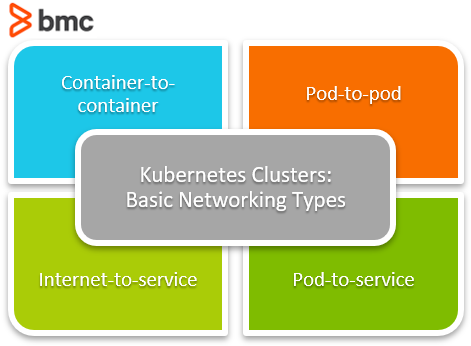
First, let’s review the basic networking types in a Kubernetes cluster:
Now, let’s take a look at how each type operates to provide connectivity within the cluster.
In the most basic configurations, container to container communication within a single pod takes place via the localhost and port numbers. This is possible because the containers in the pod are located in the same network namespace.
A network namespace is a logical networking stack that includes routes, firewall rules, and network devices which provides a complete network stack for processes within the namespace. There can be multiple namespaces on the same virtual machine.
In Kubernetes, there is a hidden container called a pause container that runs on all the pods in Kubernetes. This container keeps the namespace open even if all the other containers in the pod are nonfunctional.
A new networking namespace is assigned to each pod created. Containers within the pod can use this networking namespace via localhost. However, a user must be aware of the port conflicts: If the containers use the same port, networking issues will arise within the containers.
Each pod in a Kubernetes node gets assigned a dedicated IP address with a dedicated namespace. Due to an automatic assignment, users do not need to explicitly create links between pods. This allows us to tread pod networking operations such as port allocation, load balancing, and naming similar to a virtual machine or a physical host.
Kubernetes imposes three fundamental requirements on any network.
Kubernetes creates a virtual ethernet adapter for each pod, and it is connected to the network adaptor of the node.
When a network request is made, the pod connects through the virtual ethernet device associated with the pod and tunnels the traffic to the ethernet device of the node.
In a Kubernetes node, there is a network bridge called cbr0, which facilitates the communication between pods in a node. All the pods are a part of this network bridge. When a network request is made, the bridge checks for the correct destination (pod) and directs the traffic.
When the requested IP address cannot be found within the pod, the network bridge directs the traffic to the default gateway. This would then look for the IP within the cluster level.
Kubernetes keeps a record of all the IP ranges associated with each node. Then an IP address is assigned to the pods within the nodes from the range assigned to the node. When a request is made to an IP address in the cluster, it will:
A service is an abstraction that routes traffic to a set of pods. In other words, a service will map a single IP address to a set of pods.
When a network request is made, the service proxies the request to the necessary pod. This proxy service happens via a process called Kube-proxy that runs inside each node.
The service would get its IP within the cluster when a request first reaches the service IP before being forwarded to the actual IP of the pod. This is an important feature in Kubernetes—it decouples the dependency of networking directly to each pod. The pods can be created and destroyed without worrying about network connectivity. This is because the service will automatically update its endpoints when the pods change with the IP of the pod.
The service would get its IP within the cluster. Any request first reaches the service IP before being forwarded to the actual IP of the Pod. This is an important feature in Kubernetes as it decouples the dependency of networking directly to each Pod. Thus, pods can get created and destroyed without worrying about network connectivity as the service will automatically update its endpoints with the IP of the pod that it targets as the Pods changes.
A service knows which Pods to target using the label selector. The label selector is the core grouping primitive in Kubernetes; via a label selector, the client or user can identify a set of objects.
Each cluster comes with inbuilt service for DNS resolution.
(These can be manually configured via the YAML file using the hostname and subdomain fields.)
When a request is made via the domain name, the Kubernetes DNS service will resolve the request and point it to the necessary internal service from the service. The Kube-proxy process will point it to the endpoint pod.
In the above sections, we have covered the internal networking basics of a Kubernetes cluster. The next step is to expose the containerized application to the internet.
Unlike the previous networking types, exposing the Kubernetes cluster to the internet depends on both the:
The most common method used to handle traffic is by using a load balancer. In Kubernetes, we can configure load balancers. When a service is created, users can:
There are plenty of tools that we can use to configure networking within Kubernetes while adhering to all the guidelines and requirements imposed by the cluster.
And here are cloud vendor-specific container network interfaces:
Please refer to the official Kubernetes documentation for the full list of available network tools.
Kubernetes cluster networking can be configured to suit any user requirements to optimize the performance of the containerized application and the cluster.