AWS Management Tools: What’s Available & How To Choose

When cloud computing was introduced to the masses, new startups and innovative startups were among the early adopters. Cloud vendors such as Amazon, Microsoft, and Google offered a myriad of cloud resources designed to run different types of IT workloads. The flexibility and variety of choice sharpened the appetite for a cloud-first business paradigm:
The growing cloud adoption trend was quickly faced by IT management and governance challenges. According to research, solving the cloud governance challenge is the top priority for SMBs investing in cloud solutions. Large enterprises are equally concerned: 84% are worried about managing cloud spending.
Fortunately, large vendors such as Amazon Web Services (AWS) offer a vast library of cloud management and governance tools. In this article, we will explore the three categories of AWS cloud management solutions:
(This tutorial is part of our AWS Guide. Use the right-hand menu to navigate.)
Manages multiple AWS accounts and teams for your AWS cloud environment. Security, compliance, and visibility protocols extend to all accounts that are provisioned with a few simple clicks with the AWS Control Tower tool.
Benefits:
Grow and scale your AWS environment by programmatically provisioning accounts, allocating resources, organizing workflows for account groups and simplifying the billing process for grouped accounts.
Benefits:
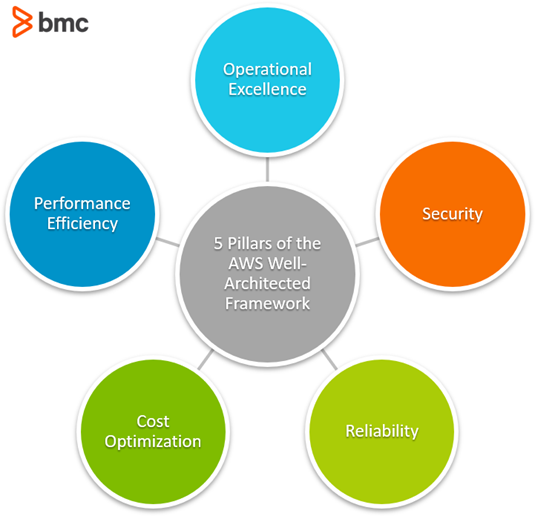
Review existing workloads and compare your IT environment to the AWS architectural best practices. The tool uses the AWS Well-Architected Framework that allows users to develop secure IT networks optimized for multi-cloud environments.
Benefits:
AWS CloudFormation provides a common language to provision foundational assets in your cloud instance. Using a basic text file, CloudFormation enables you to model and provision each asset required.
Benefits:
Enables users to oversee a robust index of services primed for use on AWS. With services that incorporate everything from virtual machine images, servers, applications and databases, AWS Service Catalog enables you to centrally administer programs. It empowers clients to rapidly deploy IT services they need, on-demand.
Benefits:
Lets you write small instances of code to automate configurations. AWS OpsWorks main benefit is that it offers application and server management for Puppet, Chef, and Stacks; Chef and Puppet are automation platforms that allow you to use code to automate the configurations of your servers.
Using instances of Chef and Puppet designed for AWS, developers can deploy code that keeps their configurations in check. OpsWorks has three offerings:
AWS Trusted Advisor is a provisioning resource that provides on-demand, real-time guidance to AWS users that increases the overall performance of your AWS environment. It does this by optimizing the instance, recalibrating things that reduce cost, increase security, and more.
Benefits:
Amazon CloudWatch provides monitoring administration services for AWS cloud resources and applications. Users benefit from the Amazon CloudWatch tool to gather and track data analytics, screen log records, set alerts, and respond to changes in your AWS assets.
Benefits:
Amazon CloudWatch can screen AWS assets, for example, Amazon EC2 occurrences, Amazon DynamoDB tables and Amazon RDS DB instances and custom metrics produced by your applications and services.
An important operational tool, AWS CloudTrail helps enterprise businesses achieve compliance and track user activity. The service offers governance, compliance, operational and risk auditing of your account. Cloud Trail provides a comprehensive list of actions taken throughout AWS and aligned services.
Benefits:
Manage and audit configurations of your AWS environments and systems. The AWS Config keeps a repository of configuration records and evaluates them against optimal specifications.
It also tracks changes and dependencies between AWS resources. It helps users monitor the many configurations of their AWS instance and services—an otherwise time-consuming process. AWS Config offers assistance monitoring, assessing, auditing and evaluating configurations in one place.
Benefits:
AWS Systems Manager gives you full control of the framework on AWS. Systems Manager offers an impactful, easy-to-use UI so you can see operational information from various sources and automate tasks needed for smooth operation. With Systems Manager, you can assemble assets by application, monitor operational system info and activate resources.
Benefits:
Visit the AWS Management Tools homepage for more tools and detailed descriptions.
In addition to the tools created by AWS, a number of third-party vendors offer resources for provisioning, ops management, monitoring and configurations.
RightScale is a multi-use tool that helps with operations management and provisioning. This tool is also used for monitoring governance and optimizing for cost. This cloud management platform offers users the ability to manage all their clouds from one UI.
Similar to RightScale, SCALR has a number of functions that are helpful for users in an AWS environment. The aim of this service is to increase productivity, reduce cost, enhance security, and prevent common concerns such as vendor lock-in. All the while, offering a flexible environment for users on a public, private, or hybrid cloud.
Hybridfox is a popular Chrome add-on that works with a number of IaaS/PaaS providers, including AWS. It can be used with public and private clouds. It’s perfect for users who have multiple cloud environments because it allows for switching between them seamlessly.
Cloudability is a full-service cloud suite that offers users migration assistance, configuration management, and operations management. Cloudability helps to ensure governance and compliance needs are met, while offering a full suite of services to AWS users.
Ylastic is a cloud management service that focuses on managing user instances of AWS in an intuitive way and offering data analytic and backup options. Ylastic touches operations management, configuration management, security, compliance and more.
While the differences between some of these tools may seem small, something like red-flag resolution and alerts could make all the difference for enterprise business leaders. In many instances, it comes down to personal preference.
Overall, when purchasing any new services or applications, it’s important to first take inventory of the unique needs of your business, then decide on the right course of action. Apart from choosing the right services, implementing an effective cloud management strategy is also of paramount importance.